Triarchy Playtest Checklist
Tick through logistics before each 24–48 hour Steam window so your crew fights bosses—not install folders.
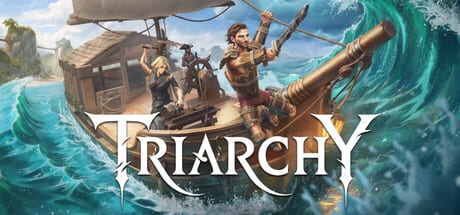
Steam Playtest weekends for Triarchy are short. Digital Confectioners typically opens Triarchy Playtest for roughly 24–48 hours near month-end, and the commercial 2026 release is not available yet. If you spend the first hour updating drivers, arguing about Discord, or discovering your PC has 8 GB RAM, you lose the best window to test talent builds, dual-wield pairings, and co-op scaling.
This page explains why each readiness step matters, then embeds the interactive checklist below so you can track progress locally in your browser. Read the prose once, tick items before every event, and share the finished list screenshot with friends if you host.
Before you request access
Wishlist Triarchy on Steam
Wishlisting signals interest to Valve and the studio, and it gives you a persistent shortcut to the Steam store page when invites go live. It takes seconds and prevents frantic searching when a friend pings you five minutes before the playtest gate opens.
Follow the Steam news hub
Steam only guarantees certain playtest notifications the first time you are accepted. Following Triarchy news reduces the chance you miss a month-end event announcement. Cross-check dates on our Updates hub because store posts and forum pins can drift.
Request playtest access on the store page
Use the Join the Triarchy Playtest flow on Steam. Selection is not instant—new sailors are often invited in batches before each cycle. Detailed steps live in How to Join the Playtest. Request once, then be patient unless the store UI explicitly asks you to reapply.
Join the studio Discord for invite waves
Digital Confectioners routes community discussion and sometimes invite context through Discord linked from triarchygame.com and Official Links. Discord is not a substitute for Steam entitlement—you still need the depot—but it helps with timing, known issues, and feedback threads when forums move too fast.
Playtest readiness checklist
Tick each step so you do not miss the next Steam playtest window.
0 / 9 ready
Hardware and controls
Confirm PC meets minimum specs (16 GB RAM)
Steam lists Windows 10, 16 GB RAM, and GTX 1060 6 GB / RX 580 8 GB class GPUs as baseline. Triarchy is a 25 GB install with co-op networking overhead. Playtests are the wrong time to discover integrated graphics cannot hold 1080p. Read the full table on System Requirements and close background apps before sailing.
Decide keyboard/mouse or gamepad layout
Triarchy supports remappable keyboard/mouse and major gamepads. Parry-heavy combat feels different per device. Pick one layout for the whole weekend, run the tutorial, and note bindings in case you swap mid-event—muscle memory matters for poise breaks described in Combat Basics.
Party alignment
Agree party assist philosophy before bosses
Assists adjust damage taken, damage dealt, parry window, and stamina drain per player without forcing difficulty on allies. Mixed-skill trios should align before a boss pull, not after two wipes. Use the Assist Planner and Assists guide to preset story, balanced, or precision vibes.
Align friend invites (host can bring crewmates)
Hosts with access can often bring roughly two friends depending on event rules—see Invite Friends. Confirm time zones, who owns the save, and how drop-in co-op handles late joiners so nobody misses shared-progress unlocks.
Plan post-session feedback via Steam or Discord
Playtests exist to tune systems before 2026. Structured feedback on co-op friction, readability, boss pacing, and ship crafting beats vague complaints. Plan thirty minutes after the window closes for Steam discussion posts or Discord threads linked from Official Links.
After the checklist
When every box is ticked, skim Getting Started for loop context, pick a boss target from Boss Overview, and coordinate roles using the pre-release Role Tier List. Reset the checklist before the next monthly event—wishlist and Discord stay checked, but feedback and driver updates may need revisiting.
Return to the Tools Hub for the assist planner, or the Playtest Hub if access rules change.
Frequently Asked Questions
Quick answers drawn from Steam playtests and official announcements.
Does checking boxes grant Steam access?
No. The checklist is a local planning tool only. Access still flows through Steam request and invite systems on the store page.
How often should I reset the checklist?
Reset after each playtest weekend or when your party roster changes. Keep standing items like wishlist and Discord joined between events.
What if I fail the RAM requirement?
Expect unstable sessions or inability to launch. Upgrade hardware or use a cloud PC if available—do not assume minimum specs are optional.
Can solo players skip party steps?
Skip friend-invite alignment, but still set assists and feedback plans. Solo data helps developers test scaling documented on Co-op Hub.
Where is the checklist data stored?
In your browser local storage under a Triarchy-specific key. Clearing site data wipes progress.