Invite Friends to the Triarchy Playtest
Bring up to two crewmates into Steam playtest weekends without breaking drop-in co-op rules.
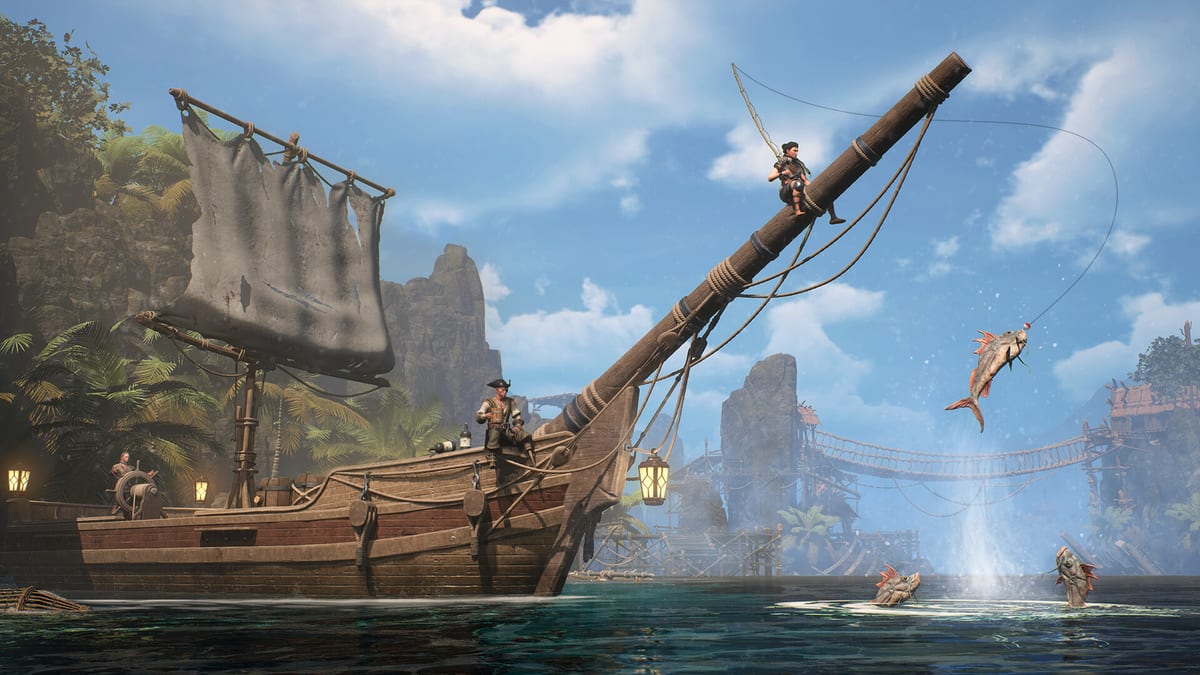
Triarchy is built for online co-op with one to three players—a captain plus up to two crewmates sailing a shared ship, tackling bosses, and unlocking talents together. The upcoming 2026 Steam PC release from Digital Confectioners is still in development, but recurring Steam Playtest weekends already stress-test party flow. If you are one of the lucky accounts with Triarchy Playtest in your library, you are not just a player; you are a potential host who can pull friends into the same window.
This page explains how host invites work, how they interact with Steam’s monthly request queue, and how to set up a smooth session that respects drop-in/drop-out, no tethering, shared progress, and enemy scaling.
Why friend invites exist
Steam’s random monthly selection cannot seat every wishlister on the first event. Digital Confectioners has repeatedly encouraged players who already have playtest access to invite friends so parties can test real three-player scenarios—ship roles, assist combos, and boss pacing—without waiting for another batch invite.
Friend invites are a multiplier, not a replacement for the public request button. They help crews assemble fast inside a 24–48 hour window where every hour counts.
How many friends can you invite?
Official messaging and developer posts commonly reference inviting up to roughly two friends per host through Steam’s playtest invite tools or developer-authored messages during an active event. Treat “about two” as a soft cap tied to the game’s three-player design: you plus two guests fills a squad.
Caps can change between events when the studio experiments with broader stress tests. Always read the latest announcement on Updates or the Steam store page before promising slots to an entire Discord server.
Path A: Steam playtest invite from a host
If you already see Triarchy Playtest in your library:
- Confirm the current event is live—invites sent between windows may not install.
- Open the playtest hub inside Steam or follow the prompt in developer news posts about inviting friends.
- Select eligible Steam friends who do not yet show the playtest depot.
- Send the invite and ask them to restart Steam if the library entry does not appear within a few minutes.
Successful invites grant the same temporary depot access you have for that event. Once a friend is accepted into the playtest program, they typically retain eligibility for future events, just like direct Steam selections.
Coach friends to install immediately and run the playtest checklist in parallel.
Path B: Friends still request access on Steam
Invites fail or never arrive more often than hosts expect. Common reasons include:
- The friend is not on your Steam friends list or has privacy settings blocking invites.
- The event invite quota for hosts is exhausted.
- Steam client caches are stale on the guest account.
- Regional or hardware restrictions block the depot even after an invite.
When Path A stalls, friends should complete the standard Request Access flow documented in How to Join. They should wishlist, Follow, and optionally join Discord for backup visibility.
Important nuance from community reports: invited players and requested players end up in the same long-term pool once Steam attaches the playtest license. Invites accelerate entry for a specific weekend; they do not create a separate “VIP” branch.
Coordinating a three-player crew
Triarchy co-op assumes shared goals on a mobile ship base. Before inviting, align on roles:
- Helm / navigation—sailing routes and positioning during naval segments.
- Combat focus—talents and assists geared toward bosses.
- Support / crafting—ship upgrades and resource loops between fights.
Because progression is shared and enemies scale with party size, a friend who joins mid-session via drop-in should not permanently gimp the crew—but early coordination still matters. Read Drop-In Drop-Out Co-op so everyone understands reconnect behavior and why there is no tethering dragging players across the map.
Schedule voice chat outside Steam if possible. The playtest build may lack robust ping systems, and explaining talent choices is easier with live comms.
Discord as a safety net
When Steam invites glitch, Discord helps in two ways:
- Social proof for support staff—polite posts that list Steam request timestamps can accelerate manual help during active weekends (no guarantees).
- Party assembly—even if only the host has the depot on hour one, friends can prepare builds using Getting Started and theorycraft assists while waiting for their library entry.
Link friends to the official Triarchy website for Discord URLs rather than unofficial rehosts.
Etiquette and fairness
Playtest slots are scarce. Good host etiquette:
- Invite friends who will play during the current window, not months later.
- Prefer mixed-skill groups if you are gathering feedback on onboarding—Digital Confectioners needs both veteran co-op players and newcomers.
- Avoid selling or trading invites; Steam license rules prohibit it and risk bans.
- After the session, nudge everyone toward structured feedback (in-game forms, Steam discussions) so the 2026 launch benefits.
Troubleshooting invite issues
| Symptom | Likely cause | What to try |
|---|---|---|
| Friend sees nothing in library | Client cache | Restart Steam, verify files, confirm event is live |
| Invite button missing | Host lacks active access or quota spent | Check Updates; friend uses Request Access |
| Download starts then halts | Disk space or AV conflict | Run system requirements checklist |
| Friend joins but cannot connect | NAT or regional test limits | Test solo launch first, then re-invite from ship menu if available |
If all else fails, friends fall back to the public queue while hosts proceed with partial crews—solo and duo play remain valid with scaling.
After the weekend ends
When the 24–48 hour window closes, the depot may vanish until the next monthly event. Friends who were invited once should not need to re-request from zero; they should watch for the next install pulse via Follow notifications and Updates.
Hosts planning recurring groups can keep a shared document mirroring the playtest checklist so every cycle starts with drivers updated and talent experiments noted.
Related guides
- How to Join the Playtest — baseline Steam request flow
- Playtest FAQ — access duration, notifications, feedback channels
- Playtest Hub — overview of all playtest articles
- Links hub — official outbound resources
Inviting friends is the fastest way to experience Triarchy as intended: a coordinated crew on a living ship, not three strangers guessing at assist timings. Use host power responsibly, verify everyone installs early, and treat each monthly window like a shared rehearsal for the full 2026 release.
Frequently Asked Questions
Quick answers drawn from Steam playtests and official announcements.
How many friends can I invite to Triarchy playtest?
Developer messaging usually allows **about two friends** per host, matching the three-player co-op design. Event-specific posts on Updates can temporarily change that cap.
Do invited friends keep access to future playtests?
Yes. Once Steam grants the playtest depot—via invite or direct selection—accounts typically retain eligibility for later monthly events without starting the request process over.
What if my friend never received the Steam invite?
Have them restart Steam, confirm friendship status, and complete **Request Access** on the Steam store page if the invite quota is exhausted.
Can I invite strangers who are not on my friends list?
Steam invites require friendship or official playtest tools tied to your account. Do not share login details; strangers should use the public request button in How to Join.
Does inviting friends bypass enemy scaling?
No. Triarchy scales encounters for party size whether players arrived via invite or random selection. See Drop-In Drop-Out for co-op rules.